
Role: Administrator
Objective: Locate, edit, and monitor existing announcements.
1. Announcements Main Page

- Search: Enter an announcement name or keyword, then click Search.
- New Announcement: Create another announcement.
- Name: Announcement name.
- Status: Current workflow or lifecycle status.
- Start Date: Configured launch date.
- End Date: Configured end date.
- Views: Recorded announcement views.
- Clicks: Recorded announcement clicks.
Use the sortable column headers when available to review the list by name, status, or date.
2. Edit an Announcement
Open the three-dots menu at the end of the announcement row.
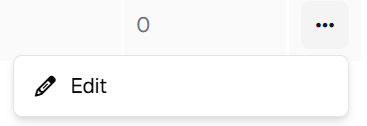
- Edit: Reopen the announcement to modify its Details or Builder configuration.
Save your changes after editing. Use Publish when the updated announcement should return to the publishing workflow.
Administration note: The actions available for a row can depend on the announcement state and platform configuration. This guide documents the Edit action visible in the supplied interface.
3. Monitor Engagement
Review Views e Clicks directly from the main table.
- Views: Shows recorded views for the announcement.
- Clicks: Shows recorded clicks for the announcement.
4. Recommended Administration Practices
- Use descriptive names so announcements are easy to locate.
- Verify Launch Date and End Date before publishing.
- Confirm Local announcement scope and Target Nodes before distribution.
- Review Builder content for readability and correct links.
- Save changes before leaving the editor.
- Monitor Views and Clicks after publication.