
Role: Administrator
Objective: Locate, edit, and monitor existing announcements.
1. Announcements Main Page

- Search: Enter an announcement name or keyword, then click Search.
- New Announcement: Create another announcement.
- Name: Announcement name.
- Status: Current workflow or lifecycle status.
- Start Date: Configured launch date.
- End Date: Configured end date.
- Views: Recorded announcement views.
- Clicks: Recorded announcement clicks.
Use the sortable column headers when available to review the list by name, status, or date.
2. Edit an Announcement
Open the three-dots menu at the end of the announcement row.
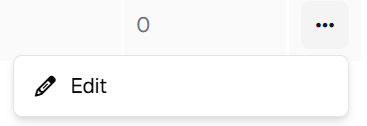
- Edit: Reopen the announcement to modify its Details or Builder configuration.
Save your changes after editing. Use Publish when the updated announcement should return to the publishing workflow.
Administration note: The actions available for a row can depend on the announcement state and platform configuration. This guide documents the Edit action visible in the supplied interface.
3. Monitor Engagement
Review Views and Clicks directly from the main table.
- Views: Shows recorded views for the announcement.
- Clicks: Shows recorded clicks for the announcement.
4. Recommended Administration Practices
- Use descriptive names so announcements are easy to locate.
- Verify Launch Date and End Date before publishing.
- Confirm Local announcement scope and Target Nodes before distribution.
- Review Builder content for readability and correct links.
- Save changes before leaving the editor.
- Monitor Views and Clicks after publication.