
You can go to the Campaign Settings page from the Manage Campaigns main page by clicking on the Campaign Settings icon on the upper right corner or going to the left-hand side bar placing the mouse pointer over the Campaigns icon and then clicking on Campaign Settings.
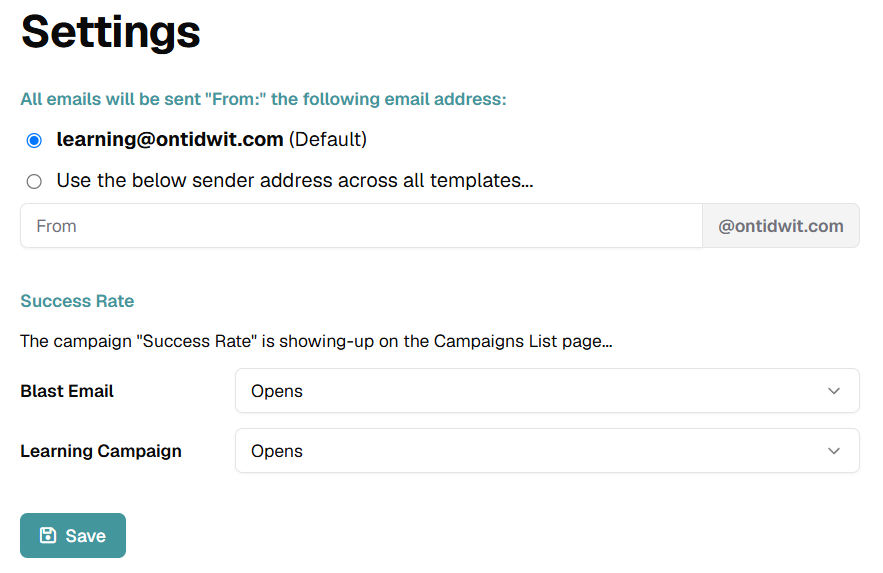
On this settings page you can set up the sender email address which target users will be able to see in the campaign email. Choose the default address or write a custom email address.
Set up the Success Rate metric that will be shown on the Manage Campaign page. The metric you select will influence the rate shown in the page.
Click on the Dropdown Menu and select if you want success rate to be measured by campaign opens, clicks, starts or completions.
After setting up your changes click on Save to apply the selected options.