
Role: Administrator
Objective: Configure when voucher expiration reminders are sent and which email template is used for each voucher state.
1. Open Voucher Settings
Open the Voucher Settings page from the Ecosystem Vouchers administration area.
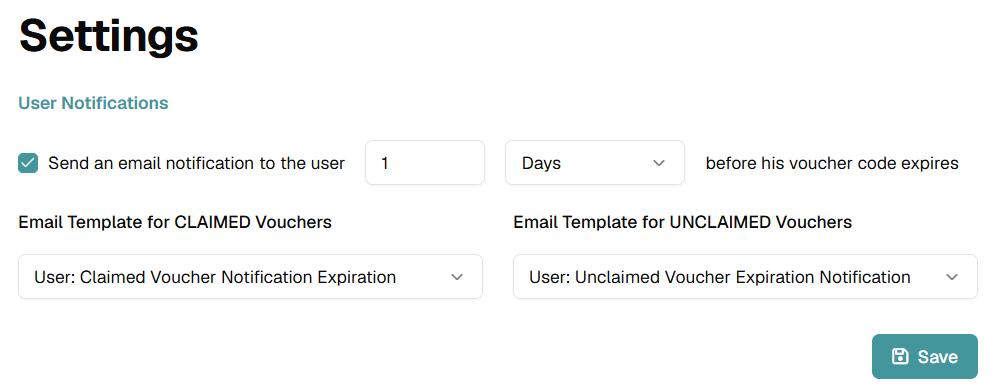
The User Notifications section contains the expiration reminder configuration for voucher recipients.
2. Enable Expiration Notifications
Select Send an email notification to the user to enable voucher expiration reminders.
Clear the checkbox when expiration reminder emails should not be sent.
3. Configure the Reminder Interval
Enter the number that defines how long before expiration the notification should be sent.
Select the time unit from the adjacent dropdown. The current interface example is configured to send the reminder 1 Day before expiration.
4. Select the Email Templates
Choose the template used for vouchers that have already been claimed.
- Email Template for CLAIMED Vouchers: Select the notification template for claimed voucher codes.
Choose the template used for vouchers that have not yet been claimed.
- Email Template for UNCLAIMED Vouchers: Select the notification template for unclaimed voucher codes.
In the current configuration, the selected templates are User: Claimed Voucher Notification Expiration and User: Unclaimed Voucher Expiration Notification.
5. Save the Settings
Review the notification interval and both selected templates.
Click Save to apply the Voucher Settings.